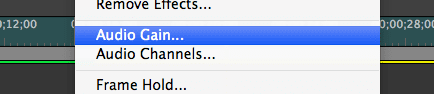
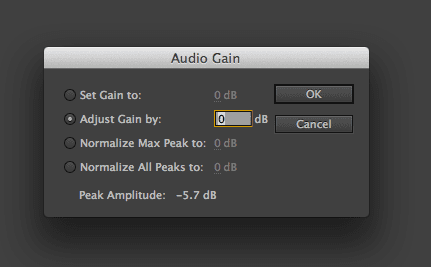
There are a few ways to change the audio levels in Adobe Premiere Pro. I use all of them because they all change audio levels differently. Here are 3 ways to change the audio levels in Premiere Pro:
There you have it! Three ways are better than one! I’ve only recently started using each way in more creative situations. I used to always use method 1. But now I try to organize myself and put music on one track, and separate interview audios on individual tracks.
Please let me know if you have any questions in the comments below. Also – let me know if you have other ways of changing audio!
Cool! Well I hope you enjoyed this quick tip. If you’re interested in learning more about video editing in Adobe Premiere Pro, check out my complete course:
Phil
🎉 Are you ready to party? 🎉 I'm doing a Purple Friday Party to celebrate…
Learn more about our Advanced Videography Course: Do you ever watch a video and wish…
*** The Complete Instagram Marketing Course is now LIVE. Grab it for just $9.99 for…
You can make better YouTube videos from home with any equipment. Join our new complete course!…
Do you have a Sony camera? Do you want to be comfortable and confident using it to…
This Digital Marketing course will help you get more business leads and convert them to…