There are lots of cool ways to make objects or text appear or disappear in After Effects. One of my favorites is by using the Track Matte feature. The basic premise is that you create a shape that creates the ‘visible boundary’ by which your object can be seen or not. So wherever the shape is, your object will appear. Wherever your shape isn’t, your object doesn’t appear.
That may seem kind of confusing, so it is a lot easier to explain it through steps, pictures, gifs, and examples. Keep reading to find out how to implement this technique with your own videos.
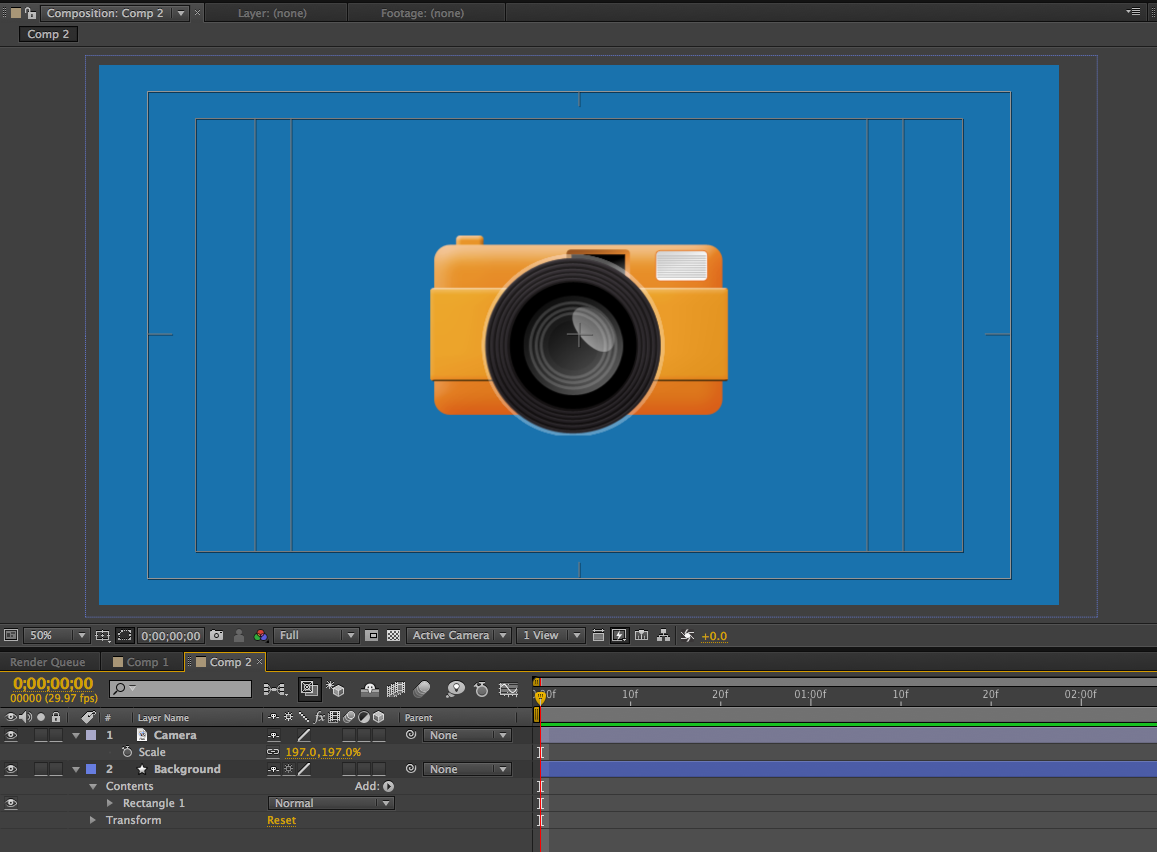
Create your composition. Add object/text that you want to disappear.
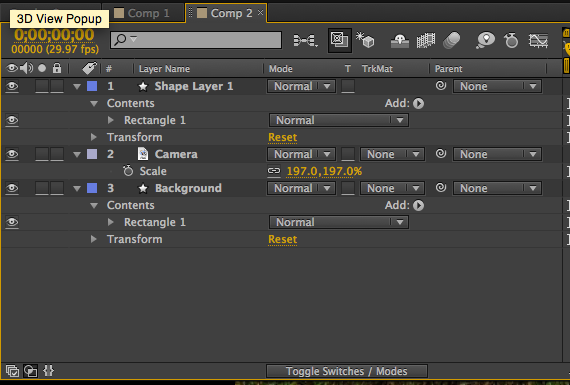
Create a shape layer that will cover your object/text. It doesn’t matter what color. Make sure this layer is directly above your object.
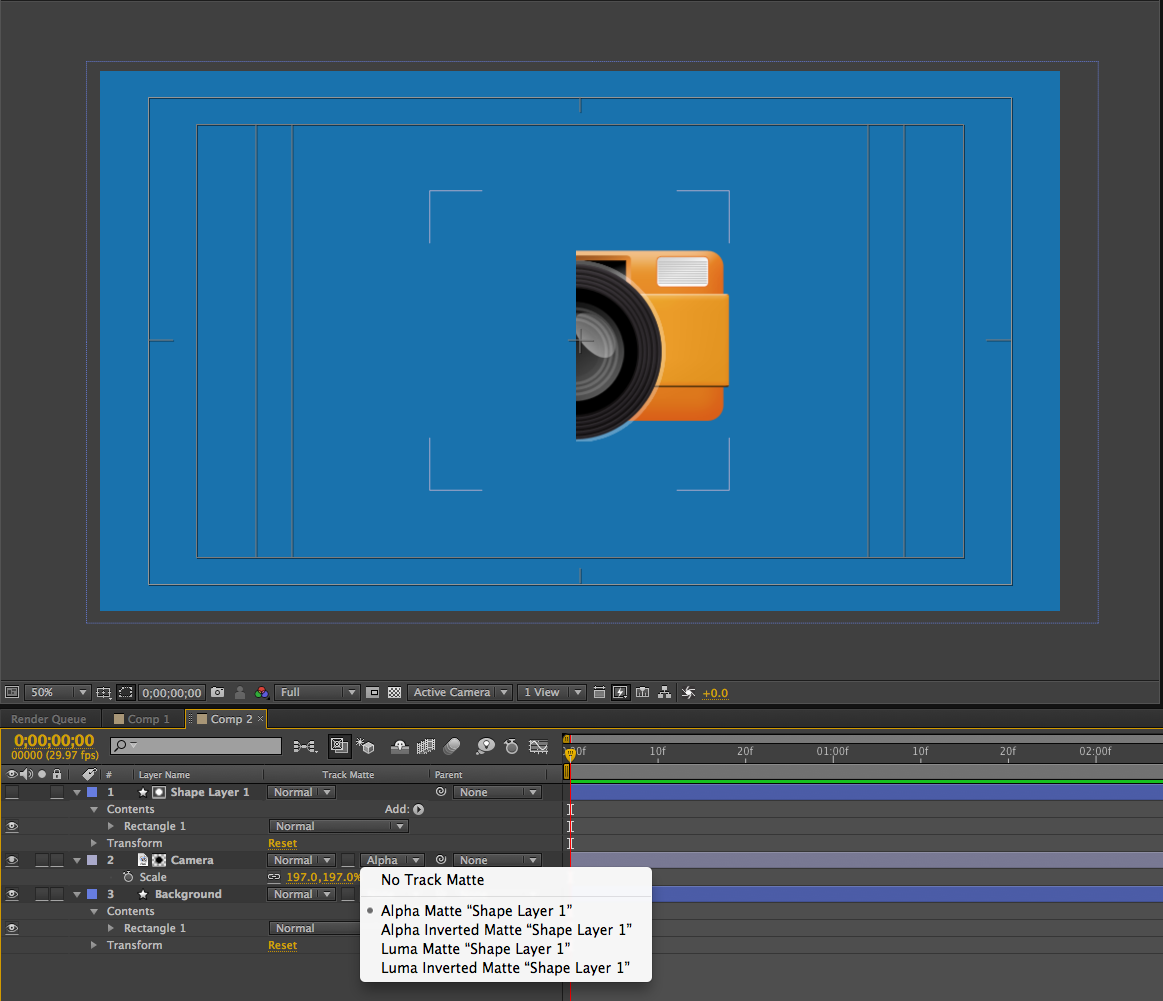
Hit the ‘Toggle Switches / Modes’ button to bring up the TrkMat option for your layers.
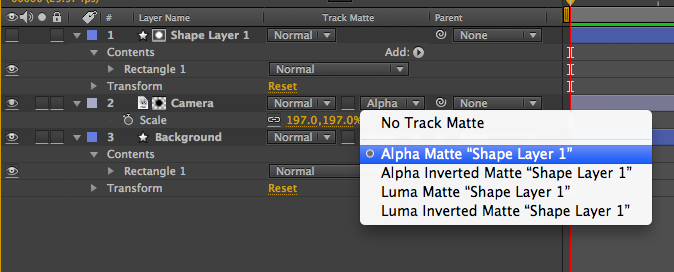
Change the Track Matte of your object/text layer to ‘Alpha Matte.’
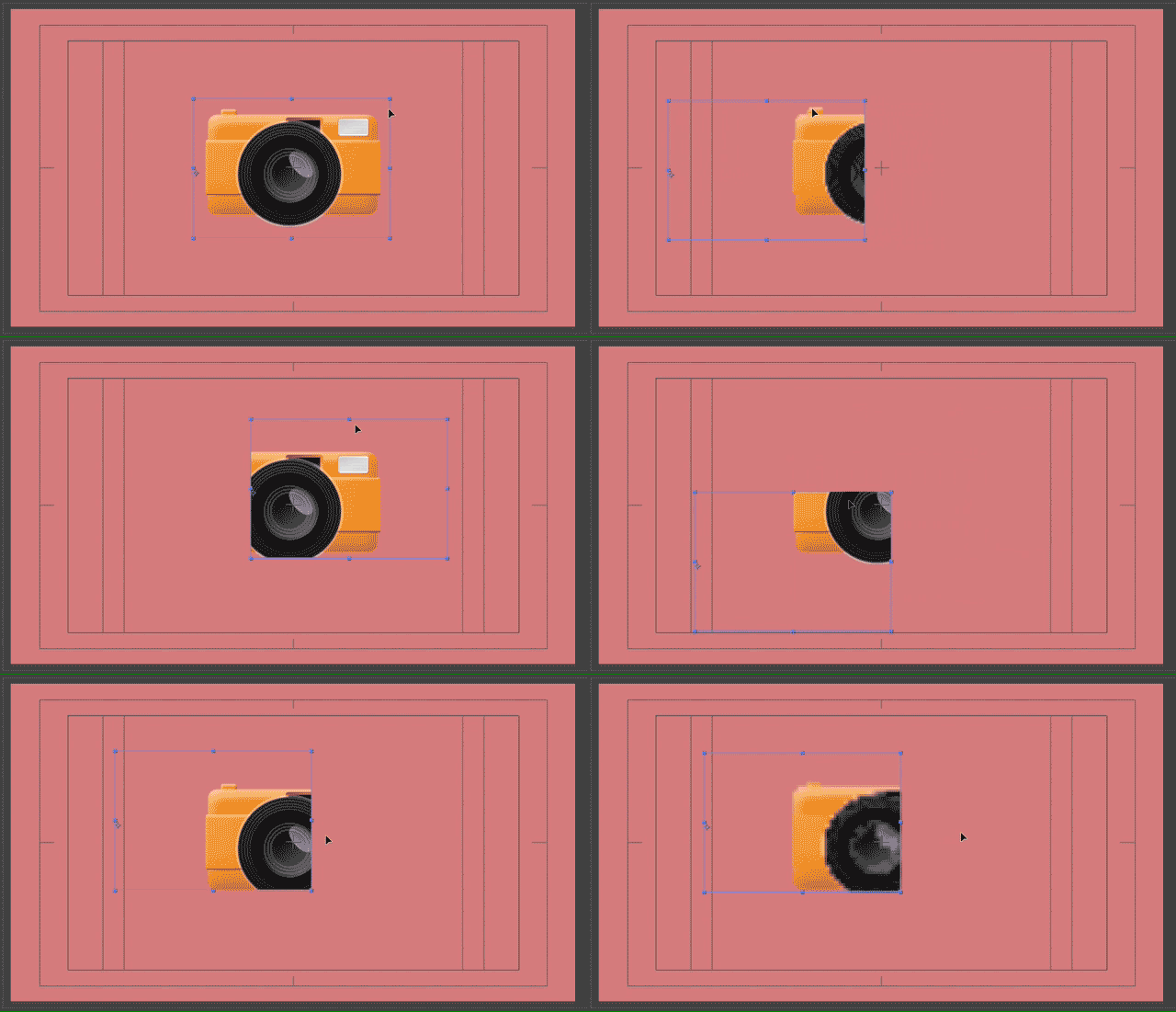
Now your object/text only appears wherever the shape layer (alpha layer) is. Try moving the shape layer and your object around to see how this is working. Also, check out the GIFs below to see this in action.
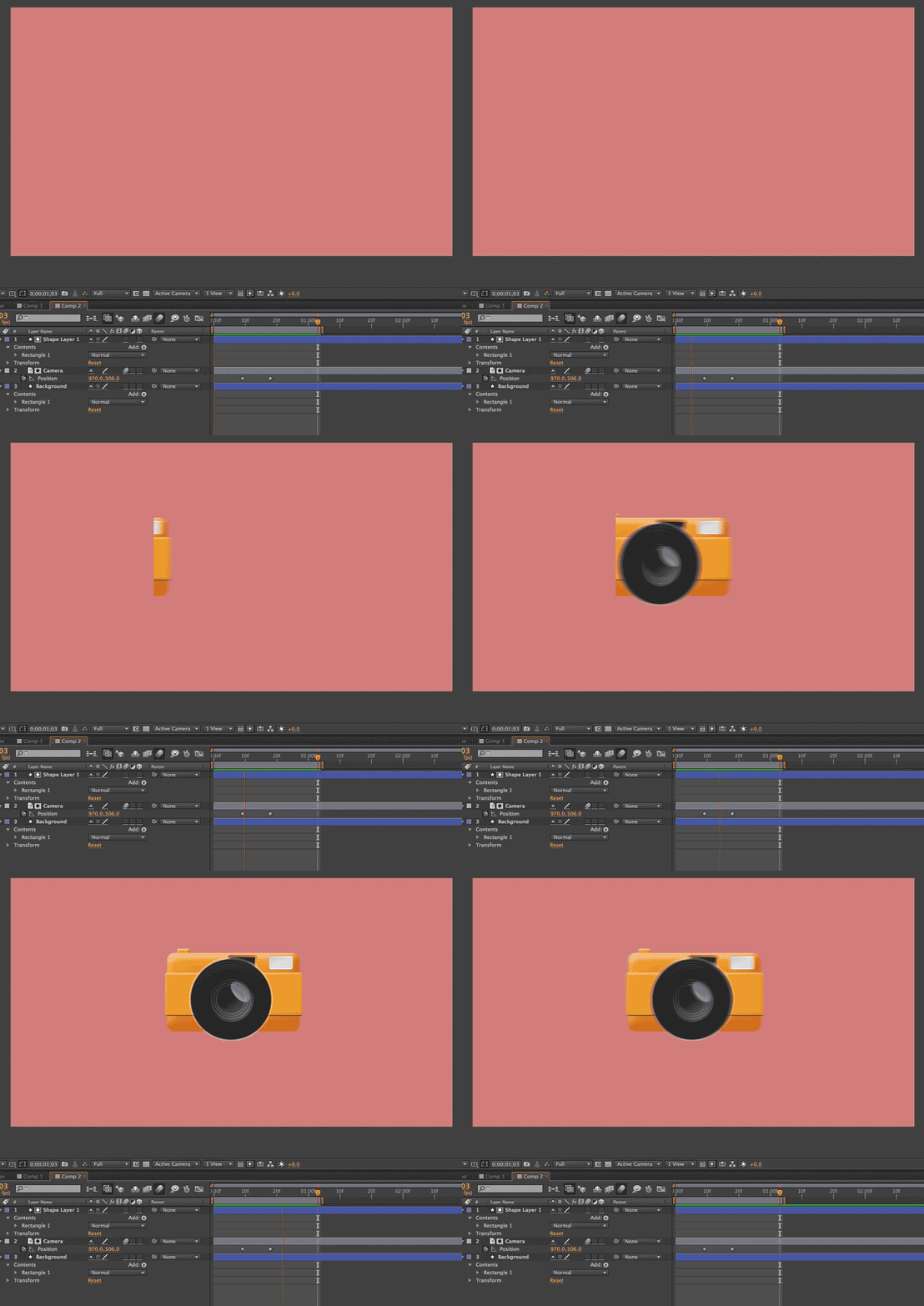
You can now add motion to the shape layer or object/text layer to make it appear or disappear. For example, set two position keyframes for your object: one with the object completely out of site (not where the shape layer is), and one with your object inside of the shape.
Above, you can see me moving around the object/text layer. Again, it only appears where the alpha layer (Shape Layer 1) is. If you add motion to this object/text layer with keyframes, you can make it appear or disappear. See the GIF at the top of this post for an example of how this can be done.
Thanks for checking out VideoSchoolOnline.com, I really appreciate it. If you have any comments or thoughts about this post, let us know in the comments below!
Cheers,
Phil
🎉 Are you ready to party? 🎉 I'm doing a Purple Friday Party to celebrate…
Learn more about our Advanced Videography Course: Do you ever watch a video and wish…
*** The Complete Instagram Marketing Course is now LIVE. Grab it for just $9.99 for…
You can make better YouTube videos from home with any equipment. Join our new complete course!…
Do you have a Sony camera? Do you want to be comfortable and confident using it to…
This Digital Marketing course will help you get more business leads and convert them to…


View Comments
Shit be whack yo!!
This was really helpful. Thank you.
But how do I do it with two shape layers?